See every page
Thumbnails, zoom and arrow keys. Text, lines and pictures are drawn exactly where the file puts them.
XPS · OXPS · in your browser
Windows 11 doesn’t come with the XPS Viewer, and Macs never had one. See every page of your .xps or .oxps file and save it as a proper PDF, right in your browser.
Drop .xps or .oxps files here
or
Read on your device. Nothing is uploaded.
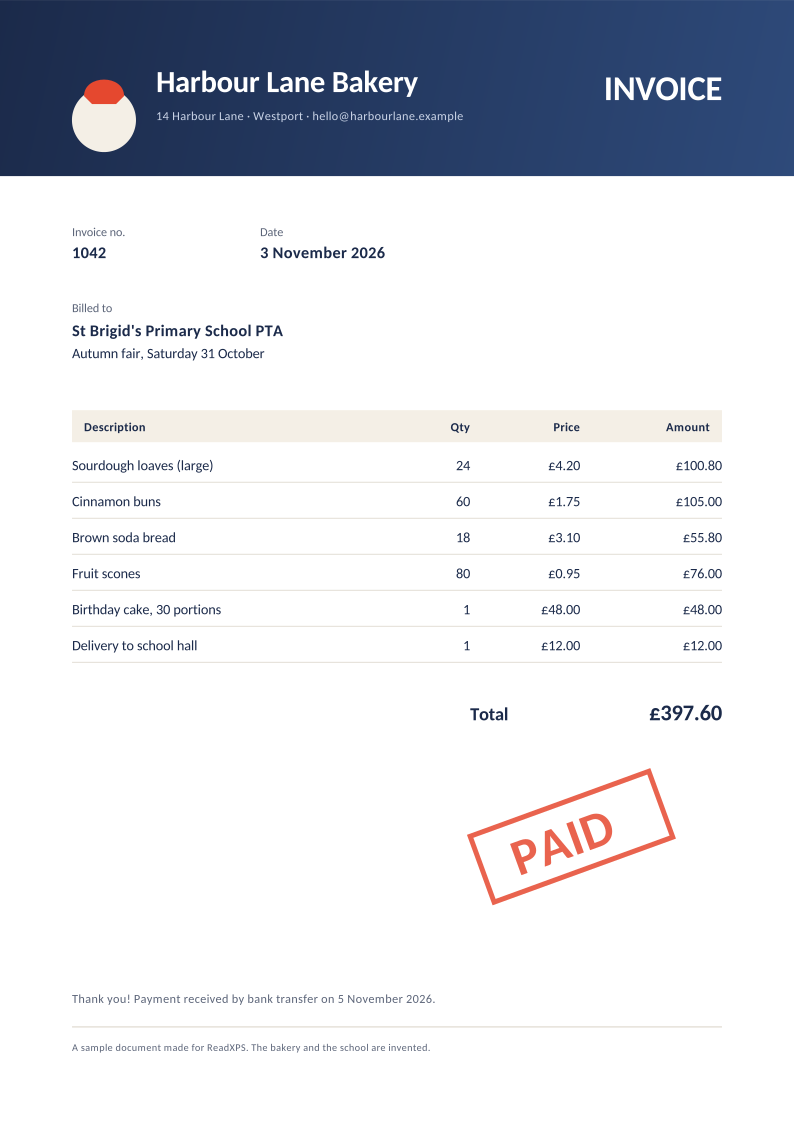
Thumbnails, zoom and arrow keys. Text, lines and pictures are drawn exactly where the file puts them.
Vector-sharp pages at their true size, with a hidden text layer so you can search and copy.
Invoices, payslips, statements: XPS files are usually printouts. This page never sends them anywhere.
XPS is the file you get when something is “printed” to the Microsoft XPS Document Writer. Windows 10 and 11 stopped installing the XPS Viewer by default, and macOS, Chromebooks and phones never read the format. The file isn’t broken; nothing on the computer understands it.
No. The page reads the file on your own device. There is no server that receives it; you can even disconnect from the internet once the page has loaded.
OXPS (OpenXPS) is the standardised version of XPS that Windows 8 and later can save. They’re nearly identical, and this page opens both.
Yes: pages stay vector-sharp with the document’s own fonts, and the text is searchable. Pages with soft transparency masks are added as high-resolution pictures.
No. Viewing, printing, copying text and saving PDFs are free.